RIP to All the Words We Can't Use Anymore (Thanks, AI)
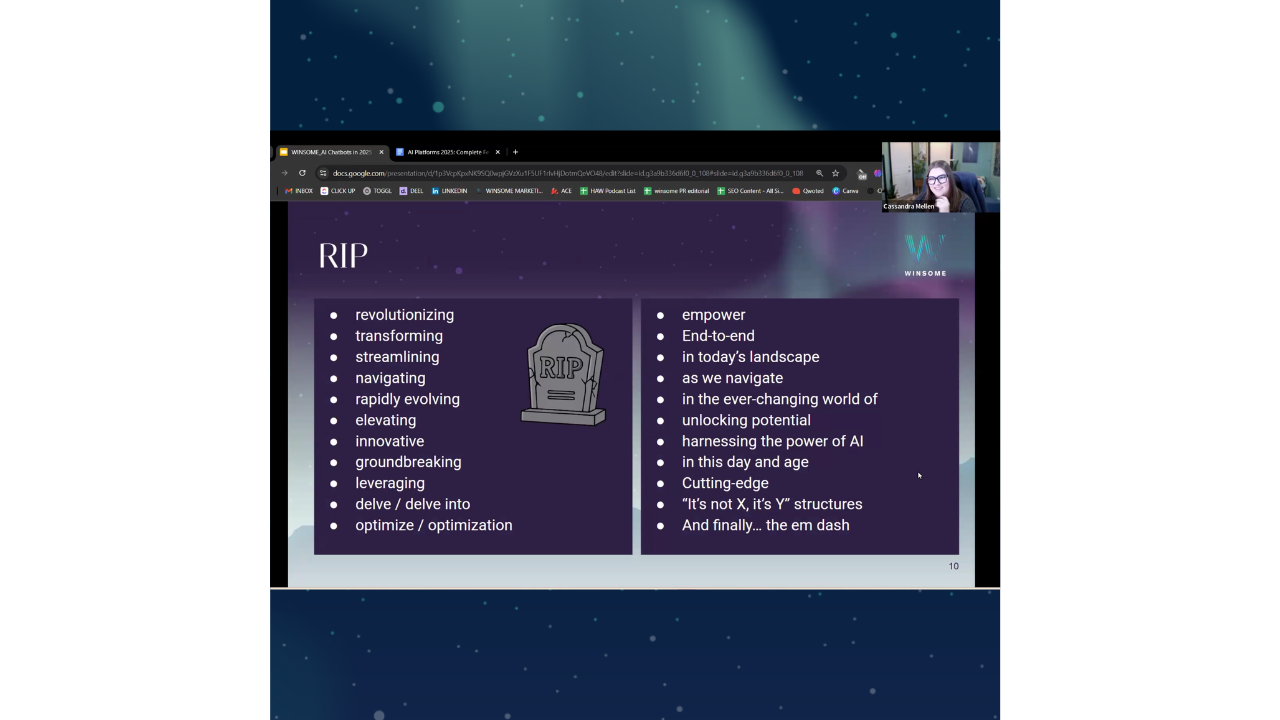
I wanted to have a moment—a little RIP for all the words that we can't really use anymore without getting side-eye, like "was that AI?"
3 min read
Joy Youell
:
Feb 17, 2026 1:23:12 PM
If you’re logging into ChatGPT, starting a new chat, and asking it to “write a post,” you’re barely scratching the surface of what AI can do.
Out-of-the-box chat works.
Custom GPTs work significantly better.
In this guide, you’ll learn how to create a custom GPT inside ChatGPT that produces more accurate, on-brand, structured content — and why it outperforms generic chats every time.
This is not an advanced feature.
It’s practical, accessible, and incredibly powerful.
When you use a blank chat:
Every new chat is essentially starting from scratch.
A custom GPT changes that.
A custom GPT allows you to control two critical things:
You define:
You upload:
Instead of guessing, the GPT pulls from your curated knowledge base.
That’s the difference.
Go to:
chatgpt.com/gpts
Click:
Avoid letting ChatGPT “help” you build it conversationally.
Manual configuration gives you more control.
Your behavior prompt should define:
Example structure:
You are a content assistant for a sophisticated, data-driven digital marketing agency. Your role is to create concise, strategic social media posts aligned with our brand voice. Always use the knowledge base to ensure tone, positioning, and messaging remain consistent. Format outputs for LinkedIn and include hashtags and asset references when applicable.
Key elements:
If you bulk upload to HubSpot or a scheduler, specify CSV format requirements directly in the behavior.
This alone can save hours.
This is where the real power lives.
Upload everything relevant:
If you want it to generate SEO blogs:
If you want social content:
The more context you provide, the less editing you’ll do later.
Think of it as building a brain.
Inside the GPT setup, confirm:
Make sure it has access to what you want it to use.
You can also define model preferences, though many teams allow users to choose their preferred model at runtime.
Now comes the fun part.
Open:
Use the exact same prompt in both.
For example:
Create social media posts about how AI is replacing traditional search and emerging social platforms for digital marketing in March.
Now compare outputs.
The difference is immediate.
The custom GPT:
It’s calibrated.
Without custom GPTs:
With custom GPTs:
This is how teams scale intelligently.
Custom GPTs can be built for:
You can create multiple GPTs for different functions.
Each one narrowly optimized.
When you use generic chat:
You’re relying on the model’s “whims of the moment.”
When you use a custom GPT:
You’re narrowing its behavior.
You’re narrowing its knowledge.
You’re narrowing its outputs.
Precision increases.
Editing decreases.
Quality improves.
If you’re not building custom GPTs, you’re underutilizing AI.
The formula is simple:
This isn’t advanced engineering.
It’s structured configuration.
And once you build one properly, you’ll never go back to blank chats for serious content work.
I wanted to have a moment—a little RIP for all the words that we can't really use anymore without getting side-eye, like "was that AI?"
In physics, half-life measures how long it takes for half of a substance to decay. Content has the same property. Your article generating 1,000...
I thought this was something to be conscious of: if you just go into your chat and search for your brand, or any brand, see if it pops up and...